This toggle on and off the real time rendering of Flex Tubes.
[demo animation]
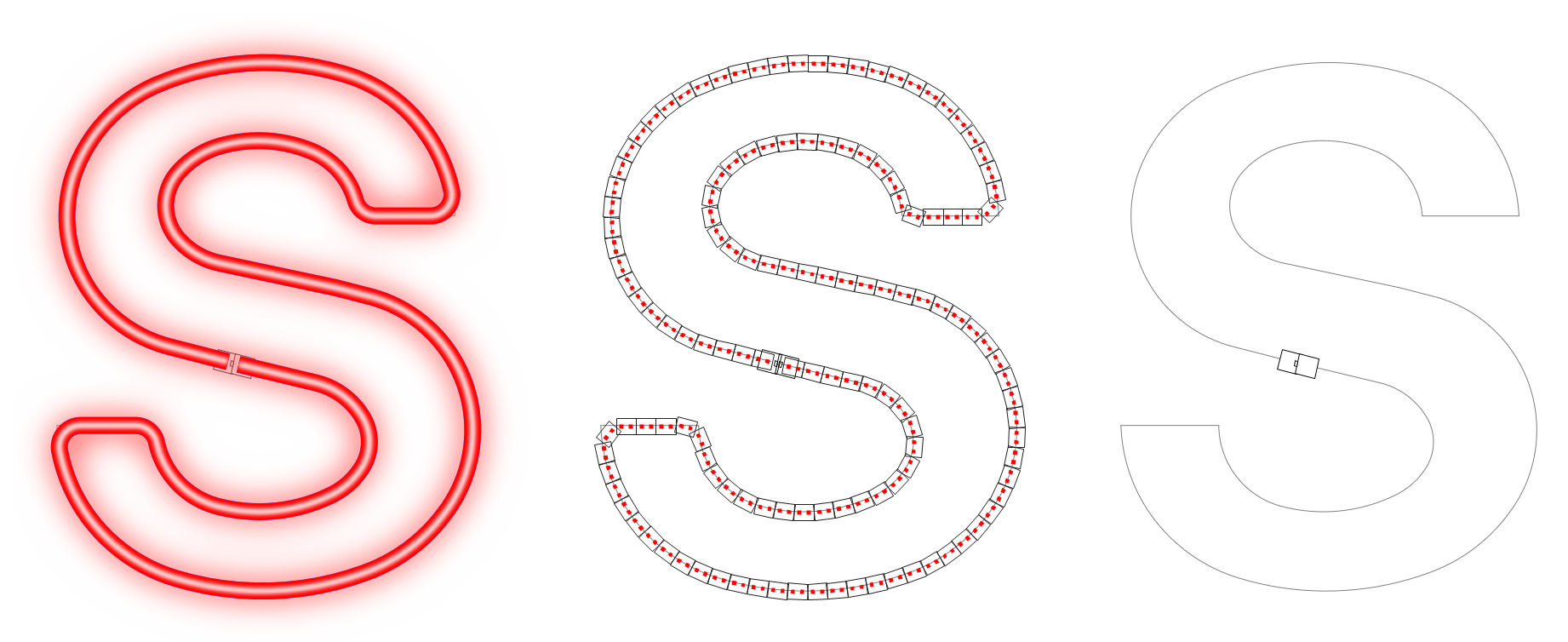
The first image shows the rendering of a flex tube. This is achieved with Show Colors turned on, and Show Flex Tubes checked. The second image is what you see in Flex Wireframe Mode, which is the drawing of each underlying module but without the tube render. The third image is just the vector path with Show Flex Tubes turned off and Show Flex Wireframe option turned off.
 Please Note: When zoomed out, the tube may not render. This is to avoid drawing the render when unnecessary. in this case, it will draw the tube as the color of the tube, but without the highlight on the tube or the glow.
 LED Wizard 8 Documentation